Architecture
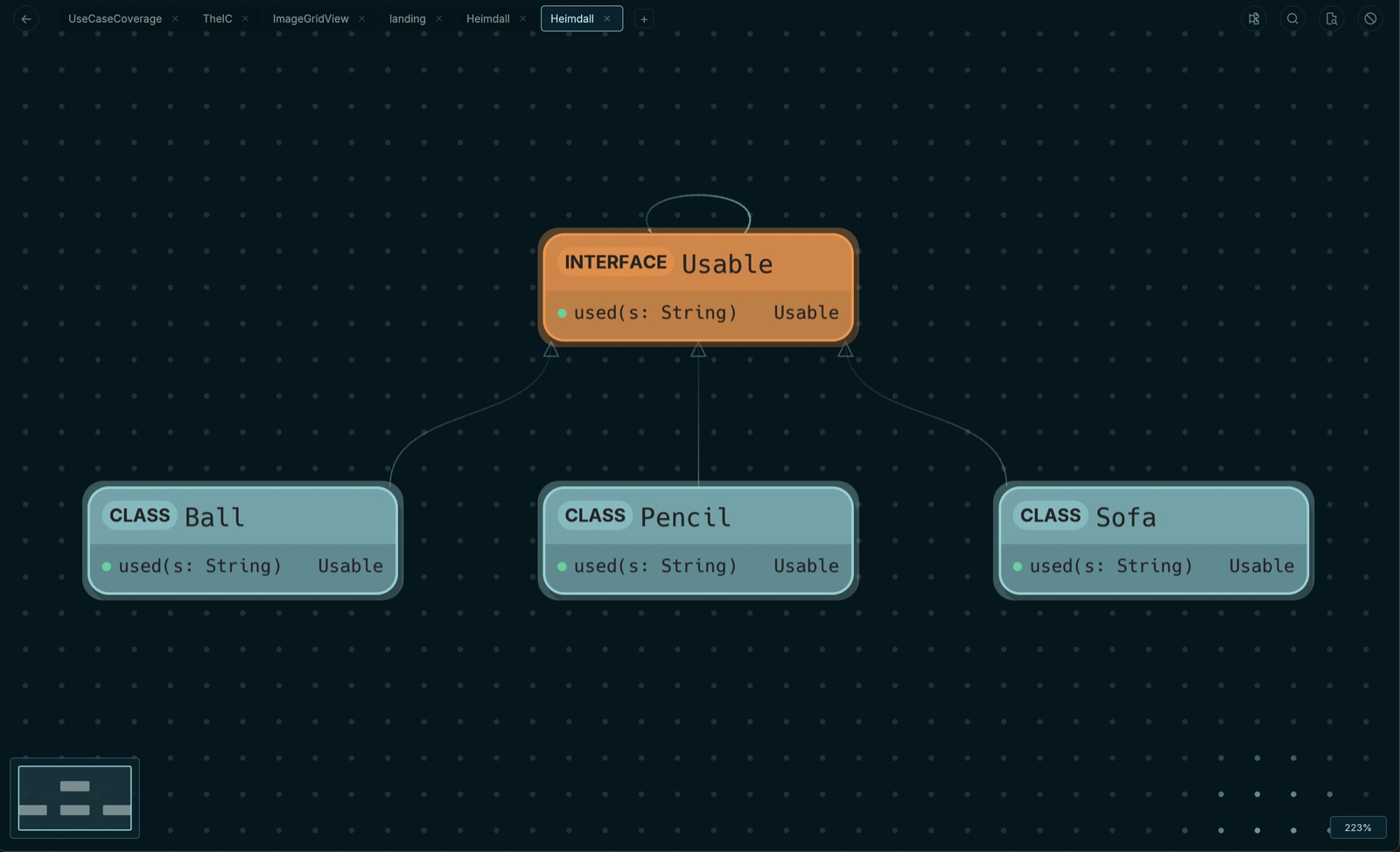
Automatically analyze and visualize the architecture of any codebase. See classes, modules, interfaces, and their connections at a glance.
Heimdall is a code visualization tool that generates interactive dependency maps from any codebase. The best way to understand complex software systems without reading code file by file.
Offline, private, built for developers and software engineers.
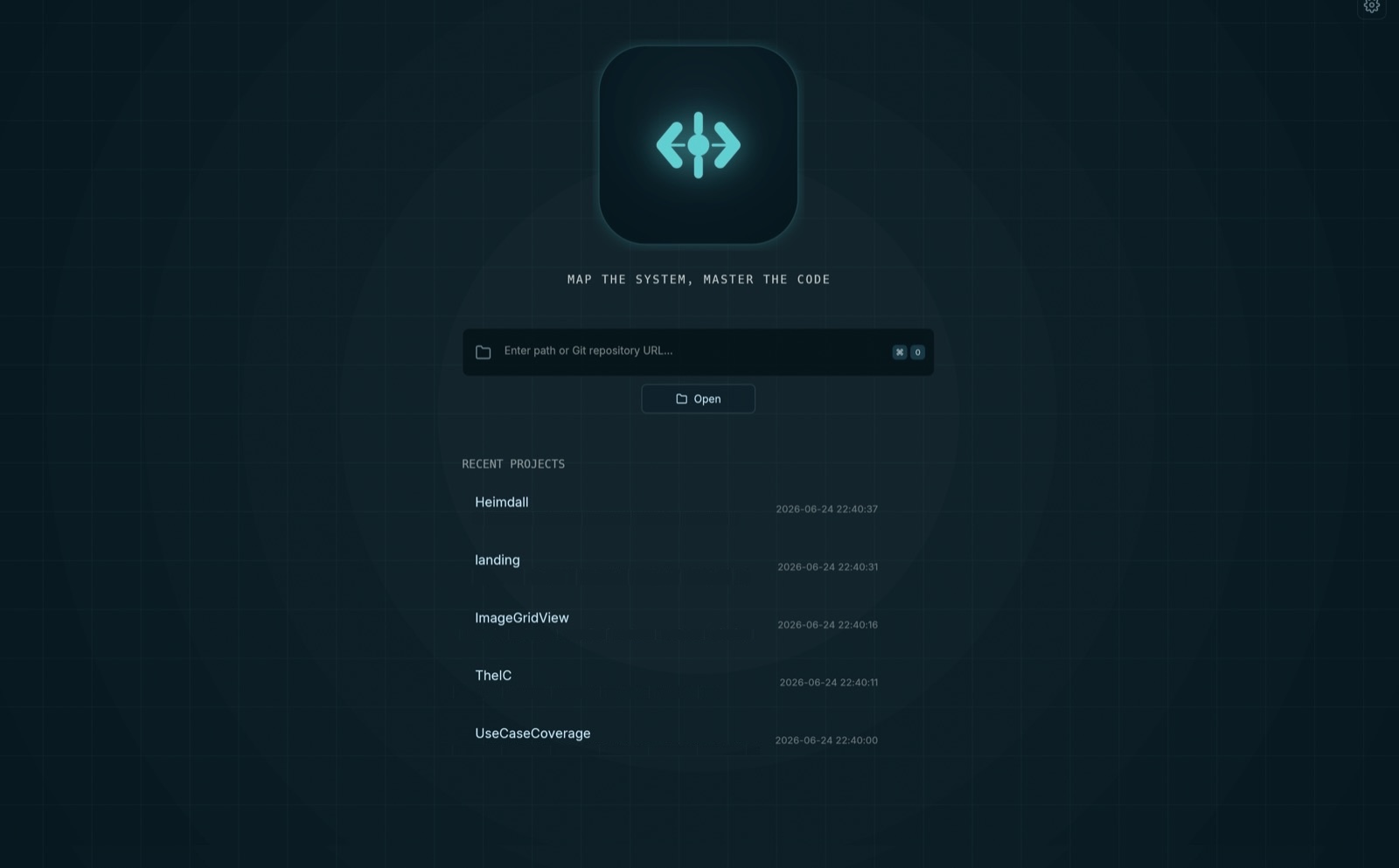
In the AI-native software development era, code is generated faster than ever. Copilots, agents, and LLMs produce thousands of lines per day. But speed without visibility creates fragile systems that nobody fully understands.
The more code AI writes for you, the farther you drift from the architecture. Dependencies multiply silently. Modules grow without direction. Teams ship features without knowing what they might break. The gap between what the system does and what developers understand about it has never been wider.
Heimdall closes that gap. Built for developers and software engineers, it turns any codebase into an interactive system map, giving you structural awareness that keeps pace with AI-generated code. You stay in control of the architecture, no matter how fast the code grows.
Heimdall includes a powerful command-line interface designed for LLM agent integration. Run headless analysis on any file or directory and get structured JSON output that AI models can consume directly — no GUI required. This is the best way to integrate Heimdall into automated workflows, CI pipelines, and AI-powered development tools.
# Analyze a project and get the full dependency graph as JSON
heimdall --headless ./src | jq '.graph.nodes[] | select(.artifact_type == "Class") | .artifact_name'

# Export the analysis to a file for LLM consumption
heimdall --headless ./src --export /tmp/analysis

# Get the JSON schema for tool integration
heimdall --export-schemaFrom codebase to interactive system map in seconds. No configuration, no cloud, no complexity.
Point Heimdall at any local codebase. It works with any folder structure, any repository size, and any of the 16 supported languages. No configuration files, no project setup, no cloud account required. Just select a directory and Heimdall handles the rest.
Heimdall's parser performs static analysis on your source files, extracting class hierarchies, function call graphs, module boundaries, and dependency relationships. The analysis runs entirely on your machine with zero network requests, processing even large monorepos with hundreds of thousands of files in seconds.
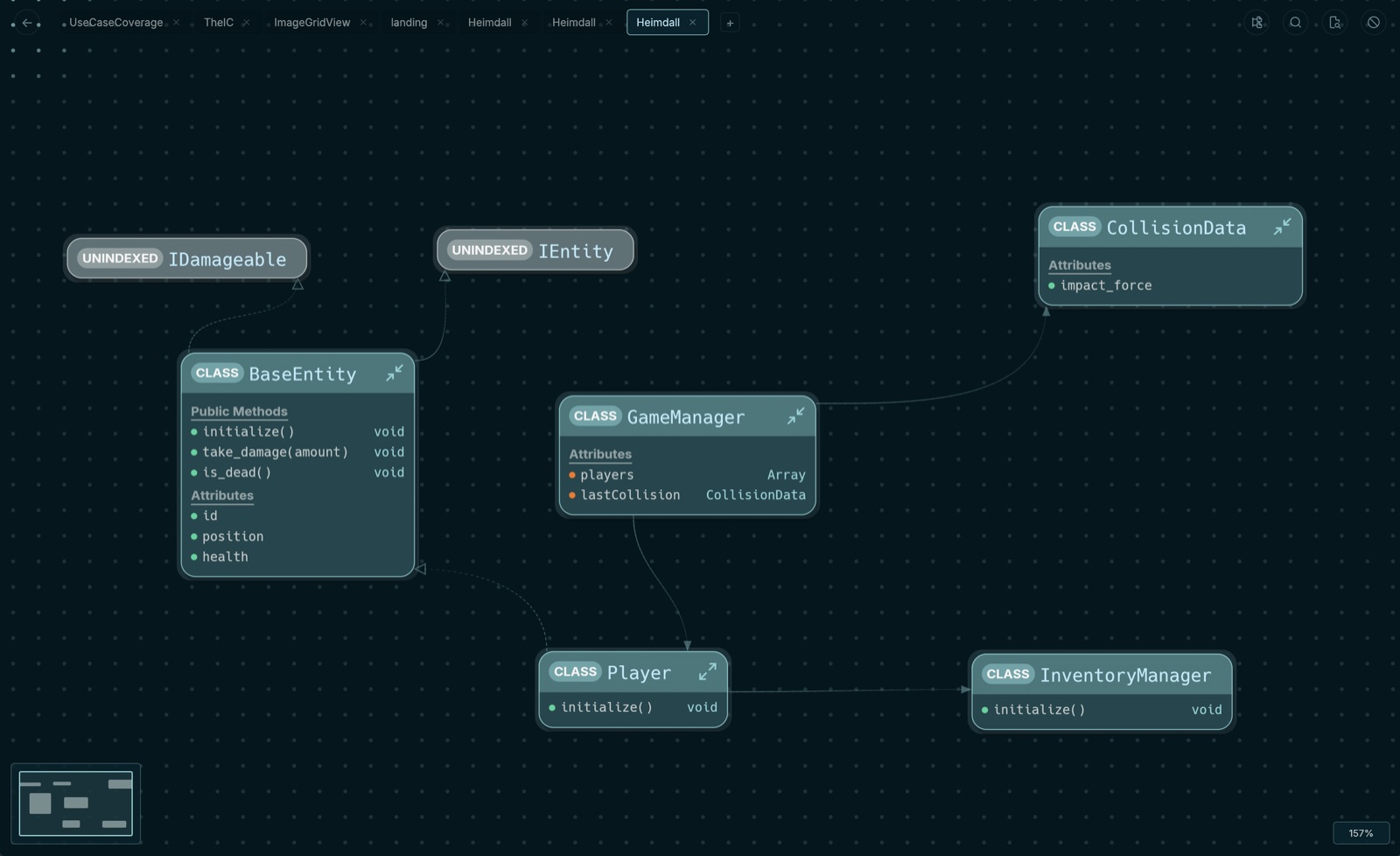
Your codebase becomes a navigable graph where each node represents a code entity and each edge represents a dependency. See how components connect, identify tightly coupled clusters, spot architectural boundaries, and understand the overall system structure at a glance without reading a single line of code.
Expand nodes to reveal internal structure, trace dependency paths across module boundaries, find all usages of any symbol, and discover hidden connections. Navigate your system spatially with progressive disclosure, focusing on the areas that matter while keeping the full architecture context available.
Heimdall analyzes codebases written in 16 languages and frameworks, with full architecture extraction for each. It processes projects with over 100,000 files and renders dependency graphs with thousands of nodes in real time.
 Rust
Rust Java
Java Python
 Kotlin
 TypeScript
 Swift
Swift C#
C# JavaScript
 Go
Go C
C C++
C++ PHP
PHP Ruby
Ruby Scala
Scala React
React Jetpack Compose
We respect your privacy and intellectual property. Heimdall runs entirely on your machine. Your code is never sent to any AI service or shared with any third-party company. All analysis happens locally, offline, and under your full control.
Engineers spend the majority of their time reading and understanding existing code rather than writing new code. As systems grow, architecture becomes invisible, dependencies become tangled, and onboarding new team members takes weeks instead of days.
Heimdall is a desktop application that generates interactive system maps from your codebase. It reveals the hidden architecture beneath your code, making complex systems navigable and comprehensible.
Automatically analyze and visualize the architecture of any codebase. See classes, modules, interfaces, and their connections at a glance.
Trace dependencies across your entire codebase. Understand how components connect, what depends on what, and where coupling exists.
Navigate your code spatially. Expand nodes, trace paths, and find usages through an intuitive graph interface designed for deep exploration.
New team members understand systems in hours, not weeks. Interactive maps provide immediate context about how code is organized and connected.
Cut through layers of abstraction. Heimdall reveals the true structure of your system, helping you make informed architectural decisions with clarity.
Search files, find usages, and locate nodes on the map instantly. Powerful search capabilities across your entire codebase at your fingertips.
Heimdall is used by software engineers, tech leads, and engineering teams for architecture visualization and code exploration workflows.
Best tool for exploring unfamiliar codebases. Navigate the entire system architecture visually instead of reading files one by one. Understand how components connect in minutes.
Best tool for onboarding new engineers to large projects. Interactive system maps give immediate context about codebase structure, reducing onboarding time from weeks to hours.
Best tool for planning safe refactoring. Visualize all dependencies before making changes. See what depends on what and identify the safest paths for restructuring code.
Best tool for reviewing software architecture. Audit coupling between modules, identify architectural drift, and ensure design decisions are reflected in the actual code structure.
Best tool for maintaining architectural awareness when using AI coding assistants. See how AI-generated code fits into the broader system and catch unintended coupling early.
Best tool for documenting system structure visually. Generate accurate architecture maps directly from source code instead of maintaining outdated manual diagrams.
Choose the plan that works for you. All plans include full access to Heimdall and every update.
* Applications reviewed manually
Request Free License* Same as Monthly. Your subscription directly supports the solo developer building Heimdall.
Become a Patron* The current pricing is associated with the product launch and may change in the future.
Available for macOS, Windows, and Linux.